How to use brand metafields in your theme
Unfortunately, brand metafields cannot be accessed directly on the brand landing page.
However, they can be accessed from the context of a product assigned to that brand. So, for example, you could use a brand metafield on a product page.
After you create a brand metafield and enable storefront access, you can query it with GraphQL.
You can send the query from JavaScript, but changes made this way are client-side.
We recommend testing new GraphQL queries in the Storefront API playground first.
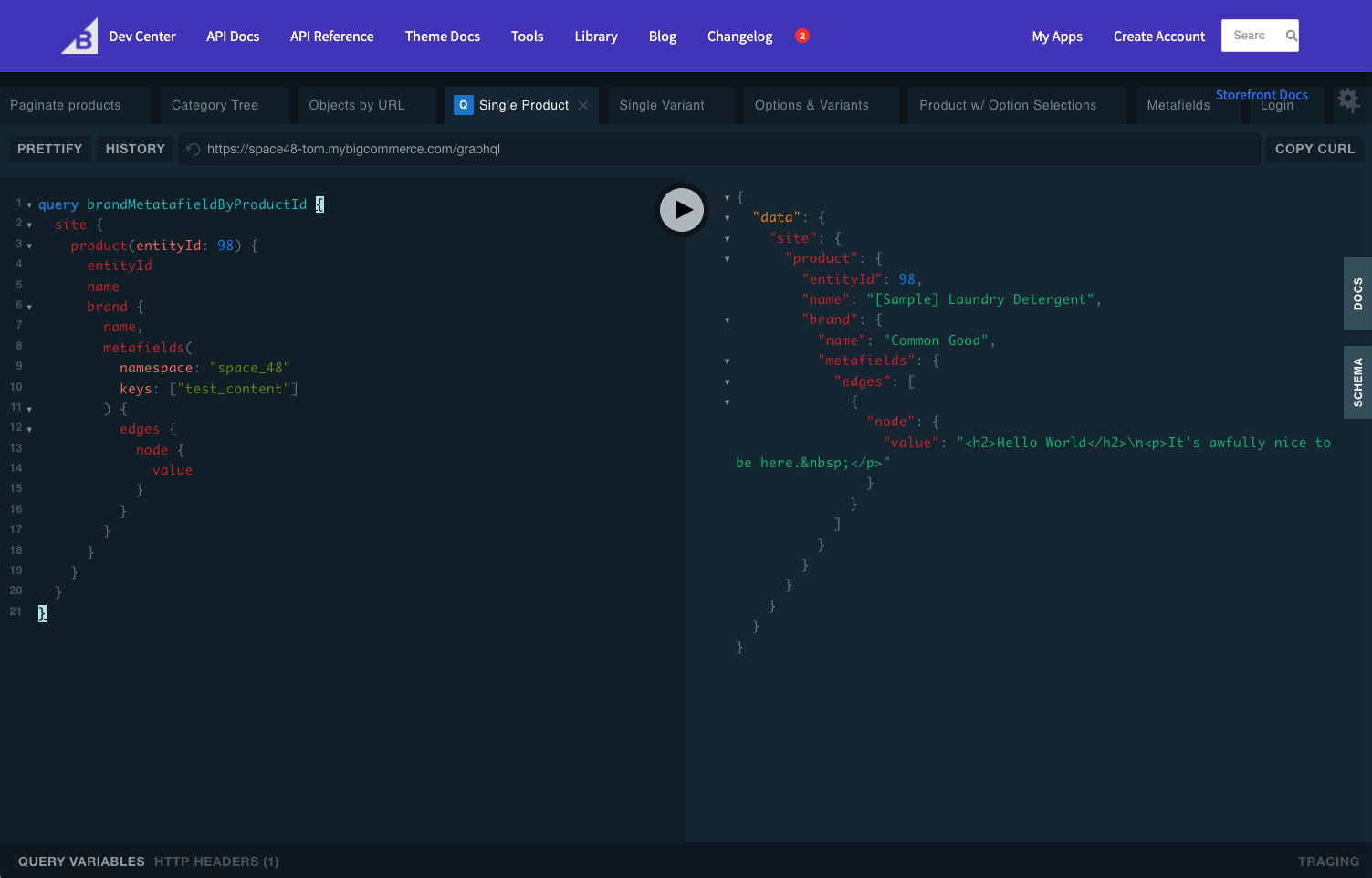
However, Stencil themes can run GraphQL queries in front matter. BigCommerce makes the response available server-side, so you can use the GraphQL data in your template.
For example, this query searches the custom namespace for the test_content key through the brand assigned to the current product. Adding it to the theme front matter makes the response available as gql in the template.
---
product:
    videos:
        limit: {{theme_settings.productpage_videos_count}}
    reviews:
        limit: {{theme_settings.productpage_reviews_count}}
    related_products:
        limit: {{theme_settings.productpage_related_products_count}}
    similar_by_views:
        limit: {{theme_settings.productpage_similar_by_views_count}}

gql: "query brandMetatafieldByProductId($productId: Int!) {
    site {
      product(entityId: $productId) {
        entityId
        name
        brand {
          name,
          metafields(
            namespace: "custom"
            keys: ["test_content"]
          ) {
            edges {
              node {
                value
              }
            }
          }
        }
      }
    }
  }
"

---
If the metafield contains raw HTML, render it in the product template with triple braces ({{{ }}}):
Alternatively, if the metafield was used to enable/disable functionality per brand. It could be checked within a condition like so: